

You can now bring your content from Bluesky over to Packbase. There's no external migration tool, no password sharing and no import-size cap.
We'll transfer posts, threads, images, videos and tags. We can't bring over reposts, replies, likes, lists, feeds, labels or non-Bluesky data stored elsewhere in your AT Protocol repository.
The import is all-or-nothing. De-duplication is limited too: we match the body of a post, and only de-duplicate its images when the post itself matches.
start an import
Open Manage Profile -> Migrate, choose Bluesky, enter your handle and pick a destination Pack you own. We'll give you a verification code to post publicly on Bluesky, then show the right next steps for your account.
The verification post needs to be public, on an open account without an age restriction. Packbot can't view restricted content for regulatory reasons.
Your source account also can't contain real-life nudity, sexual or otherwise. That content isn't allowed on Packbase, and we can't filter it reliably during import, so we use Bluesky's labels to reject the account as a whole.
Make sure you haven't blocked @moderation.bsky.app or @packbot.bsky.social. Packbot only reads content for the import. That's it!
Everything eligible for import needs to follow our Terms and Community Guidelines. You're responsible for checking that before you start.
Don't delete the verification post until verification is finished. You also won't be able to use Packbase while we migrate the account; a large import can take a few hours or run overnight.
check a self-hosted pds
If you use a self-hosted AT Protocol personal data server (PDS), it needs to federate with Bluesky's main instances.
Open atproto.at and search for your full account handle.
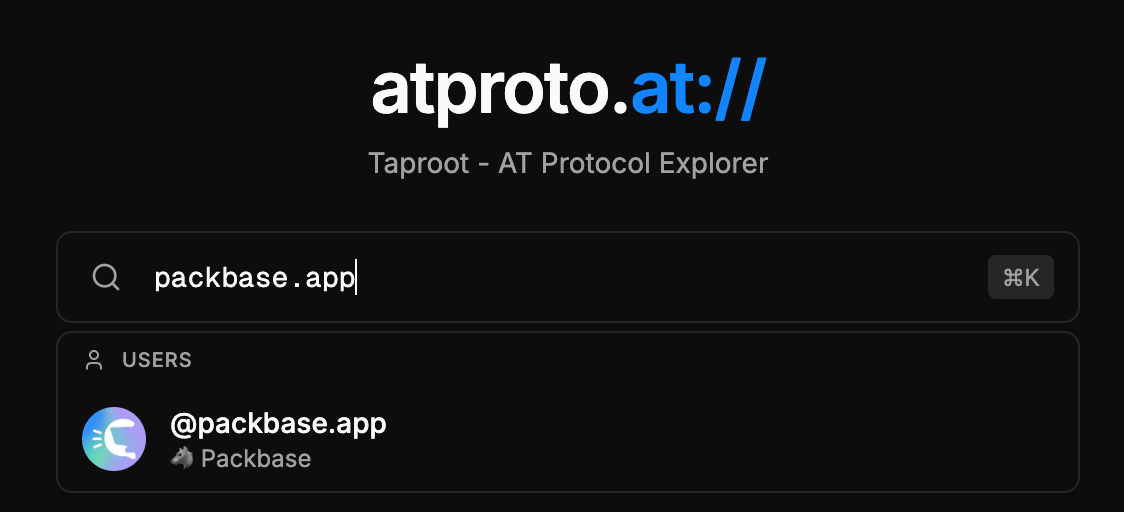
Open PDS Info and find the PDS URL. If it ends in
bsky.network, Bluesky runs it and you're done here.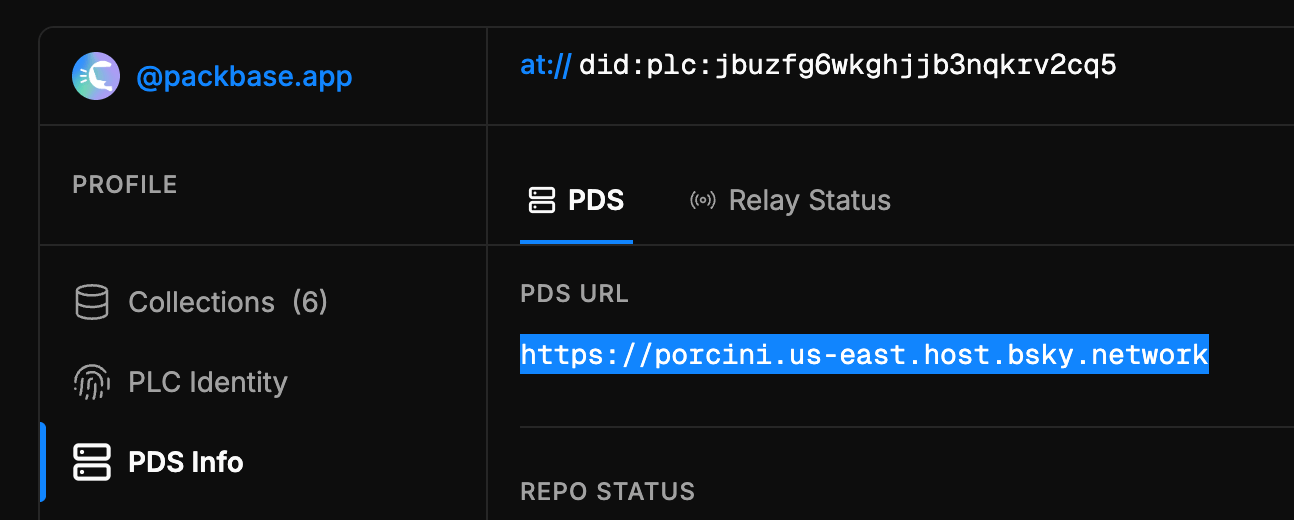
Open Relay Status and check the
bsky.networkrelay.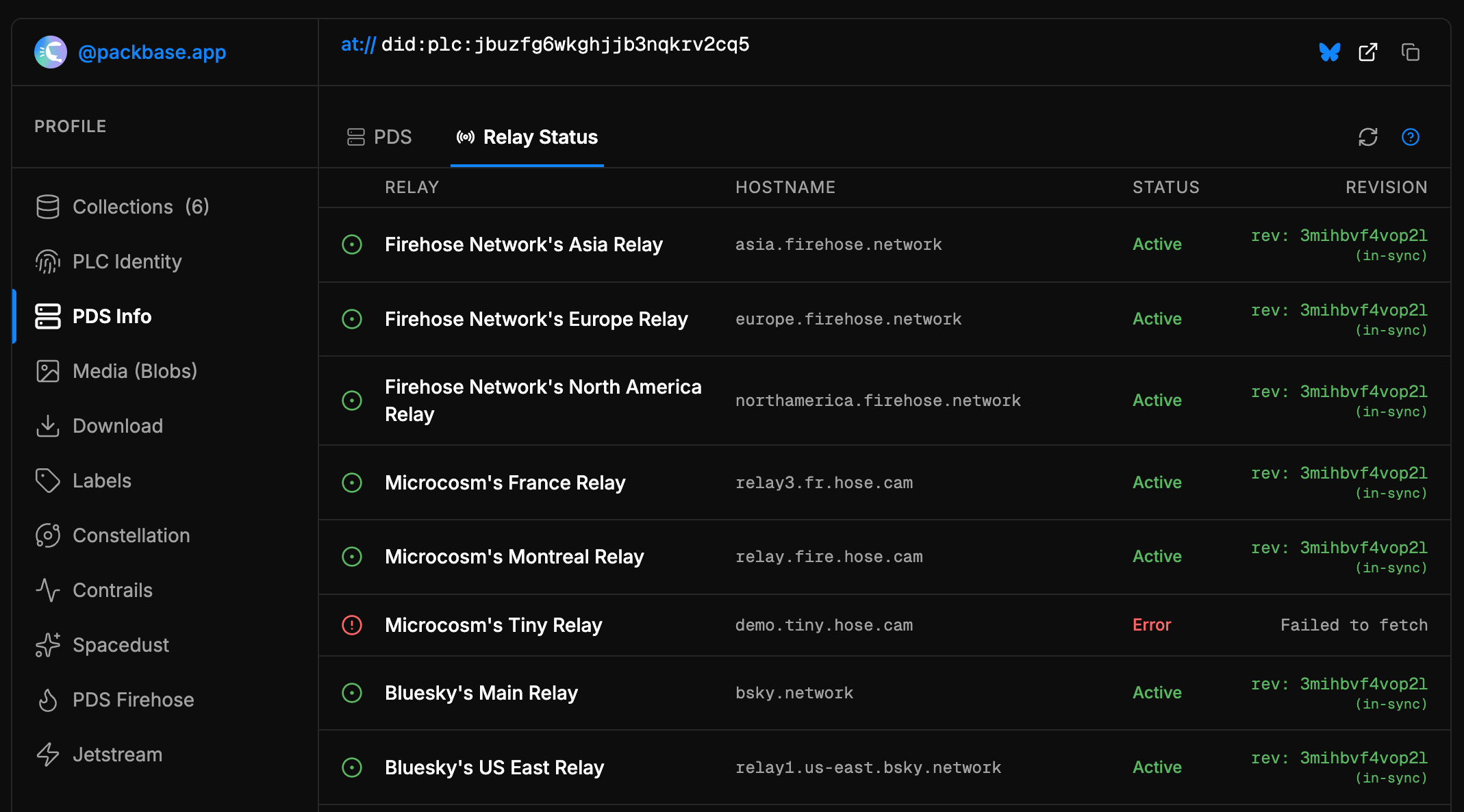
If the relay is missing, shows an error or has a revision other than in-sync, something is stopping your host from talking to Bluesky—or Bluesky has banned it. Your PDS administrator will need to check federation and firewall rules.
If it says Active, the relay path is healthy. Any remaining verification trouble is ours to help with.